You can specify which page should be opened/displayed after login.
¶ Step 1
In the administration menu, navigate to Pages & Menu. Click Select Home.

¶ Step 2
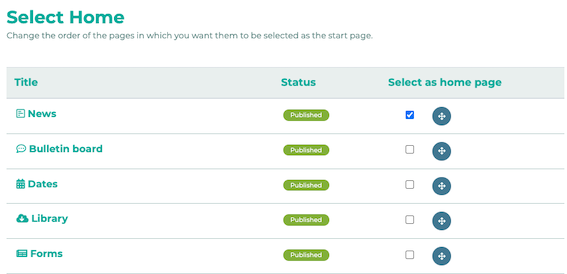
Activate the desired page using the check mark. This page will now be shown for all users after the login.
¶ Multiple start pages
You also have the option to designate more than one page as the home page.
In this case, the sorting on this page counts as prioritization (top = highest priority, bottom = lowest priority).
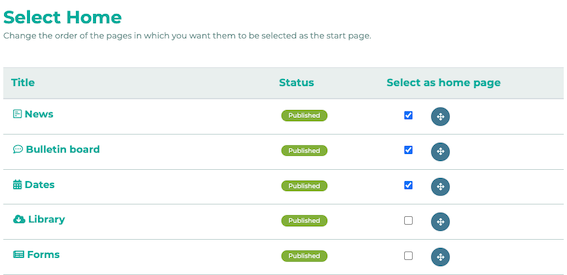
In this example, News has been selected as the primary home page. If the employee in question does not have visibility permission for the News page, the Bulletin board page would be displayed instead. If there is no visibility permission for the Bulletin board page, the Dates page would be displayed, and so on.