Employees who would like to know what data has been collected about them can request a data disclosure in LOLYO.
¶ Step 1
Edit the respective person in the admin area by clicking the pencil icon.
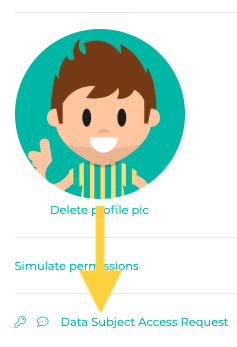
Then scroll down and click the Data Subject Access Request option below the profile picture.
¶ Step 2
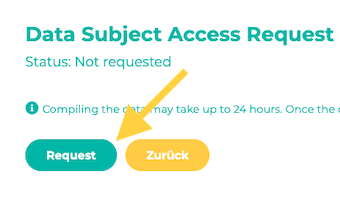
Click Request now.
¶ Setp 3
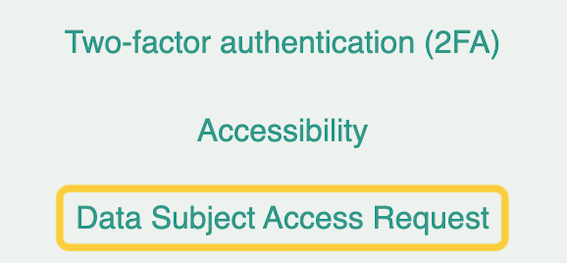
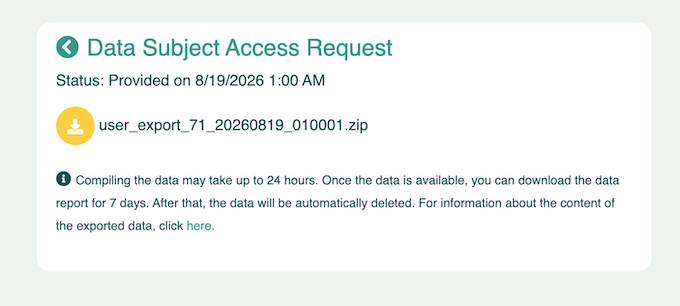
Employees for whom you have requested data access will find the download option in their profile in the user area the next day:
¶ What data is exported?
¶ User
- Registration and contact information, including confirmation status
- Name and profile details
- Account status, creation date, privacy consent, last login
- Device type and time of the last push registration. The push token itself is not
exported. - Group/role names, separated by ;
- Advanced profile fields (custom additional fields) with value and label
- Scheduled account deletion date
- Last language used (de, it, …)
- Last device registered for push notifications
- “Hide email in directory” setting (0/1)
- “Hide phone number” setting (0/1)
- Automatic availability status: Switching time, target status, and
schedule as JSON (weekdays/times) - Core version marked as read (e.g., 4.12.0)
- Status text, “Publicly visible” flag, expiration date
- Accessibility: Animations enabled (0/1)
- Accessibility: High contrast – currently not in use
- Accessibility: Font size – currently not in use
- User cannot be replied to in chat (presence of the line
= active)
¶ Activity
- Activity history: which sections/pages were viewed and when, as well as activities related to the
user. User IDs of third parties involved are not included. - “Last viewed” markers for each section/page. Only the user’s own visits—not who
viewed their profile. - Subscribed sections/pages with subscription date
¶ Automation
- Assignment to automations and whether all actions have been delivered
¶ Bulletin Board
- User's own posts and comments, including full text and attachment filename
- Reactions/likes posted by the user
¶ Dashboard
- Comment text, reference to the parent post, publication periods