¶ Send manually / individually
Send your login data to your employees separately, e.g. by e-mail.
¶ Send invitation SMS / e-mail
If you have uploaded a list of users in LOLYO, you can send invitations by SMS or email here (only works for employees who have entered this data).
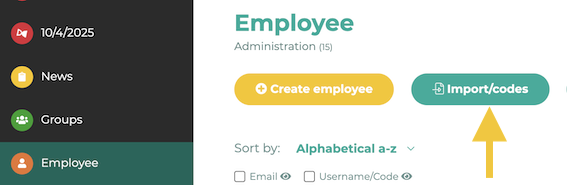
Open the administration menu and go to Employee. Click on Import/Codes.
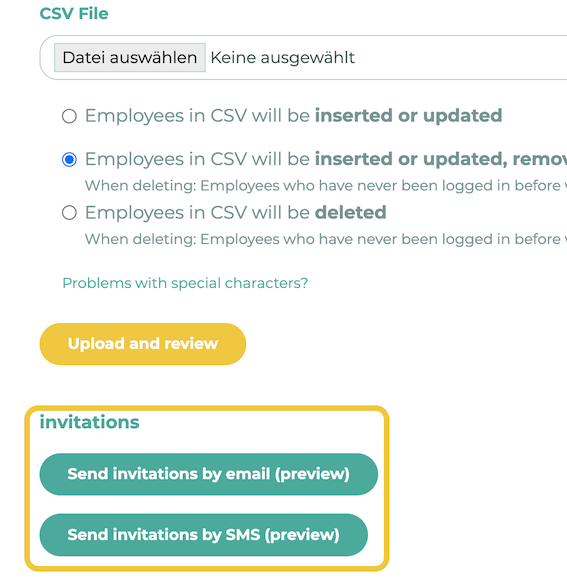
Scroll down until you reach the buttons for the invitations.
You can find more information about the SMS service here.
¶ Note
If an initial password is assigned during the CSV import, this must be used for the initial login.
If you want to send invitations by e-mail for the imported employees, please keep in mind that you cannot send the password as plain text, because passwords are only stored "encrypted" (=hash) in the database for security reasons and are not available as plain text.
We therefore recommend choosing a password that is easy to communicate (e.g.: social security number, date of birth, etc.).
¶ Distribution via internal communication channels
If you have assigned the same password to all users, for example, you could address all employees globally in a newsletter article:
"From now on, everyone can log in to our new employee app with their respective last name + password "lolyo2021"."