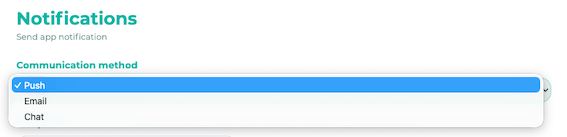
You can send push notifications, emails, or chat messages.
¶ Step 1
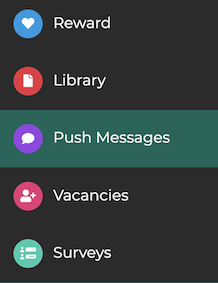
In the admin area, click on Notifications.
¶ Step 2
Select the desired Communication method from the drop-down menu.
¶ Step 3
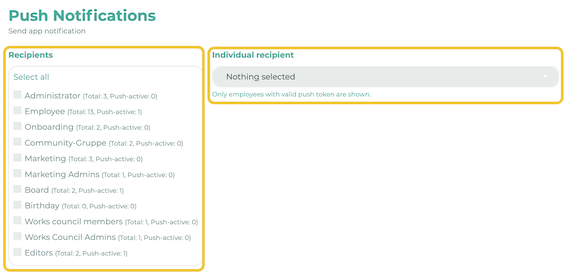
Select your recipient group. It is also possible to define and select individual recipients.
¶ Step 4
¶ Push Notifications and Chat
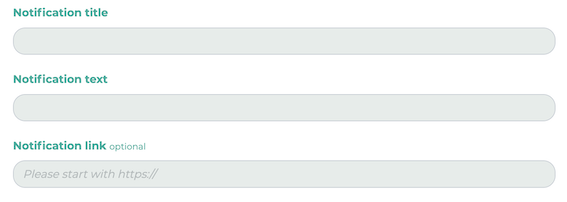
Fill in the fields with your desired message (title / text). You also have the option to include a link that opens when the push notification is clicked.
For chat messages, you can select the sender:

You can limit the list of possible senders. To do so, go to Settings>Chat>Allowed Sender Groups (Administration):

Select the groups to specify the possible senders. Now, people from those groups, as well as you, are available as senders.
Tip: Using a chatbot or dummy user helps keep the chat history organized.
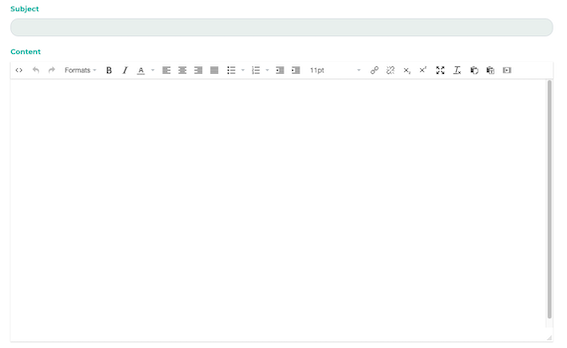
First, enter a subject line. Then use the text box to format your message.
¶ Step 5
To schedule the message, you can select Shipping time. Click Translations to translate the message into multiple languages. Finally, click Submit.
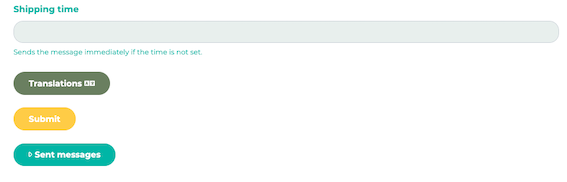
You can find your message history under 'Sent Messages'.