LOLYO indexes documents as they are uploaded, and these can be found using the search function and Aisha (AI).
¶ How does search indexing work?
¶ Step 1
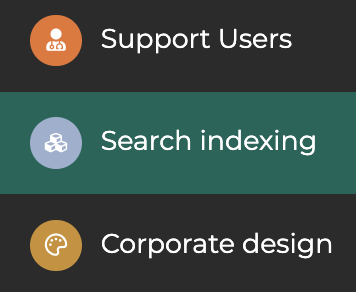
In the admin area, go to the “Search Indexing” section.
¶ Step 2
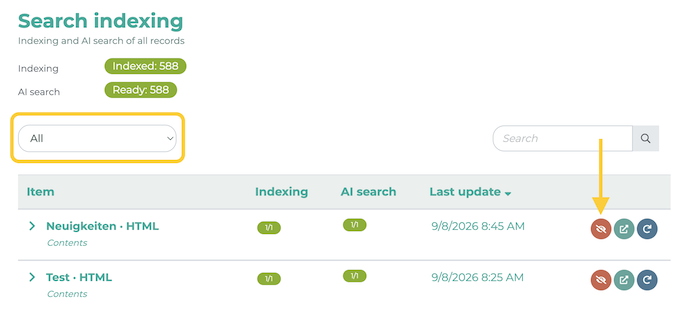
You will now see an overview of the indexed content. All listed items can be found using the search function or Aisha (AI).
Filter the content by clicking the dropdown menu. To exclude content from the search, click the eye icon.
The AI search is only available when AISHA is enabled; otherwise, only the documents (PDFs) are indexed.