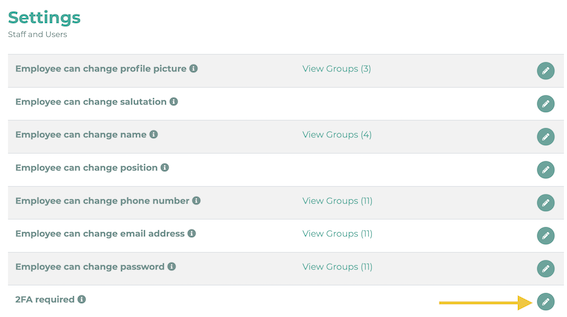
You can make the 2FA mandatory for all employees, or make it required only for specific user groups. To do this, navigate to Settings in the administration and click User:

Change the settings under 2FA required by clicking on the pencil icon.
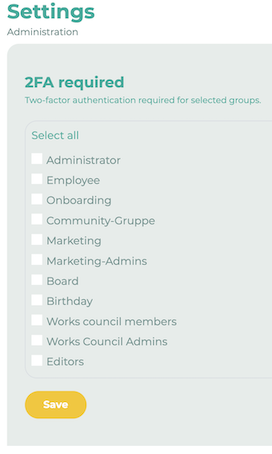
Select the groups for which 2FA should be required.
Further information on 2-factor authentication (2FA) for users in LOLYO can be found here.