In LOLYO, you can set up an out-of-office message to let your coworkers know that you are not available via the app.
¶ Step 1
Go to your profile and click on your profile status:
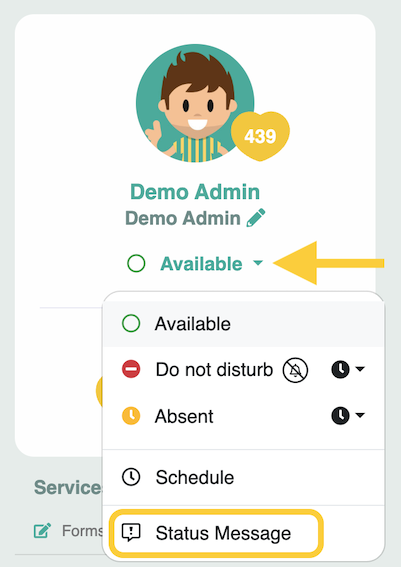
Now select Status message.
¶ Step 2
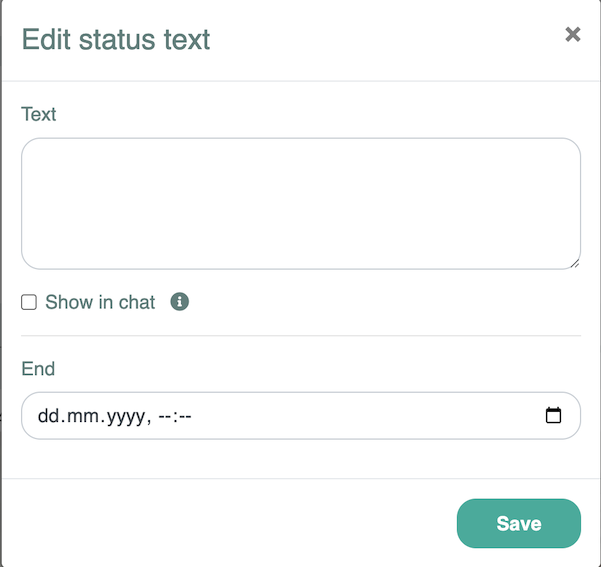
Enter the text and set an end date. Select the 'Show in chat' option to determine whether the message should also be displayed in the chat.
¶ Display in the contact list profile
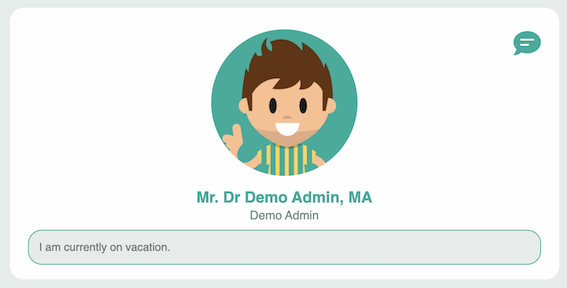
The out-of-office message is displayed as soon as someone opens your profile via the contact list:
¶ Chat
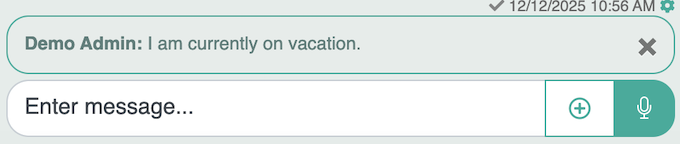
If you select this option, your out-of-office message will also be displayed in the chat window: